Open your list
Research where you already work.
SnipeDomains works directly inside your research flow. Open a supported domain list, analyze the names already on screen, and move the strongest candidates forward.
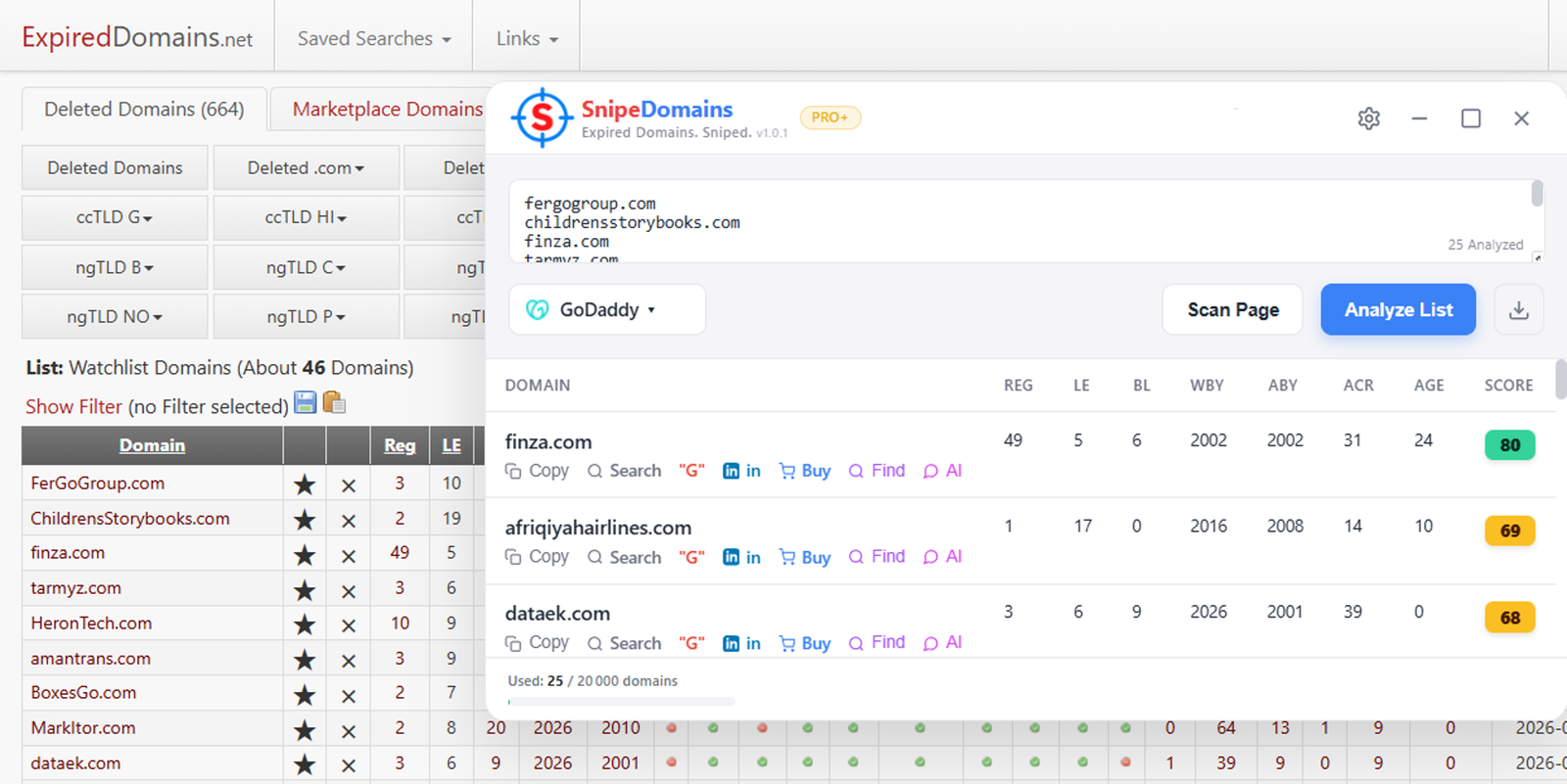
Research where you already work.
Scan the page or analyze a list.
Compare signals and scores.
Review evidence before buying.
No separate dashboard is required for the first pass. SnipeDomains brings the research layer to the page in front of you.
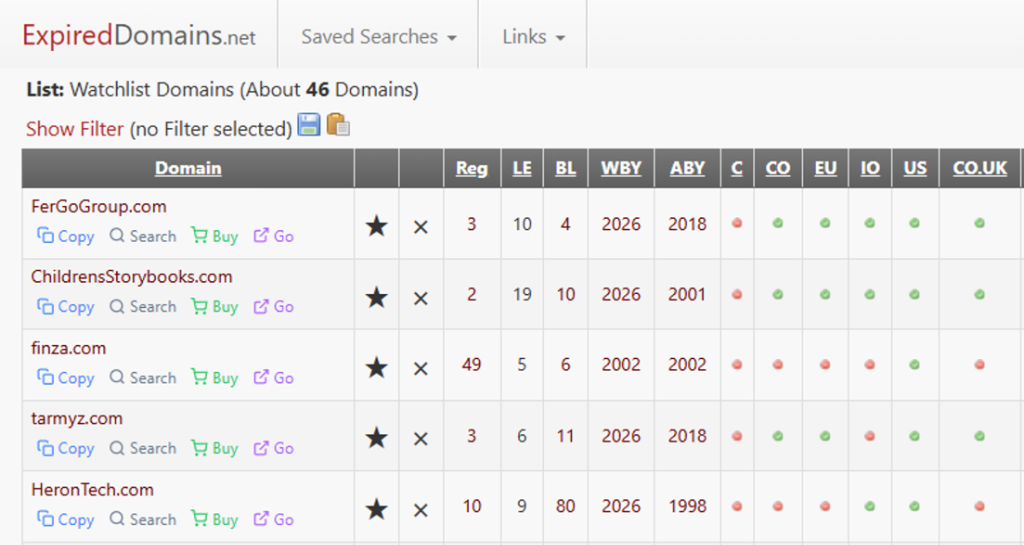
Open a supported ExpiredDomains list, saved search, or watchlist. The extension reads the domain rows on the active page—no copying into a separate spreadsheet.
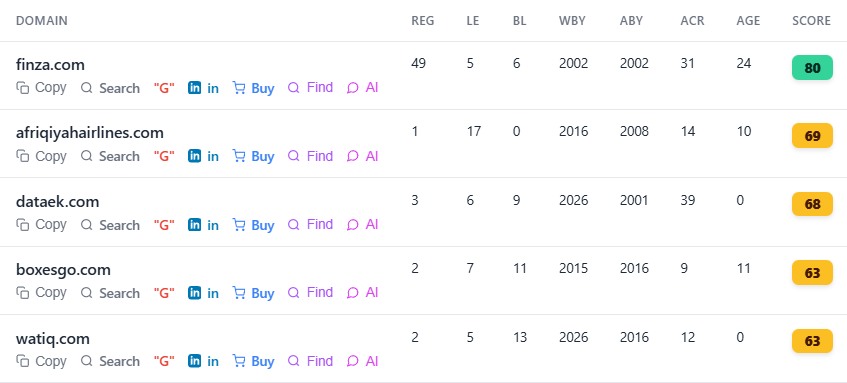
Open the extension and choose the workflow that matches your research. Scan the visible page for speed, or use Analyze List when you want to evaluate a curated set.
Each domain receives a comparable opportunity score alongside the market data already in your workflow. Use it to direct attention—not to replace due diligence.
Good practice: compare score, age, search intent, history, and acquisition cost together.
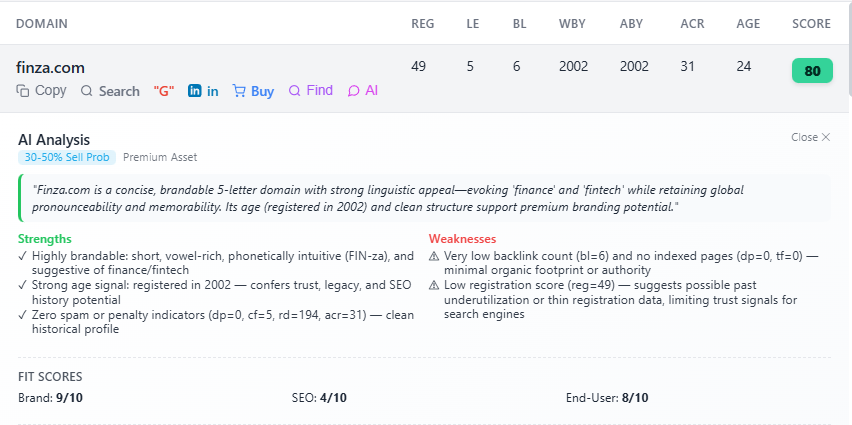
Use AI Review on a shortlisted domain to inspect strengths, weaknesses, brand fit, SEO potential, and possible end-user relevance before you move toward acquisition.
Copy the exact domain name for notes or outreach.
Run a fast web check for current use and context.
Inspect indexed mentions and brand associations.
Explore businesses and buyer categories.
Continue to the selected registrar when ready.
Open deeper interpretation for shortlisted names.
Scores help you compare opportunities consistently. Before buying, confirm trademarks, history, registrar availability, renewal cost, and intended use.
See how scoring worksThe workflow is intentionally simple. These are the questions most investors ask at the start.
It activates on explicitly supported domain-research pages. Unsupported sites remain untouched.
No. Analysis is user-triggered. The extension runs when you choose Scan Page or Analyze List.
Yes. Paste a focused set of domain names into the list field and run Analyze List.
Move the domain into deeper due diligence. Check brand fit, history, trademarks, purchase price, and likely buyers.
Visit the Data Usage page for a clear explanation of what the extension collects and what it never accesses.

Add SnipeDomains to Chrome and analyze the domains already in front of you.
 Add to Chrome—Free